Add your content
Import a folder or drag photos into your local media library. Collections can become a carousel in the order you choose.
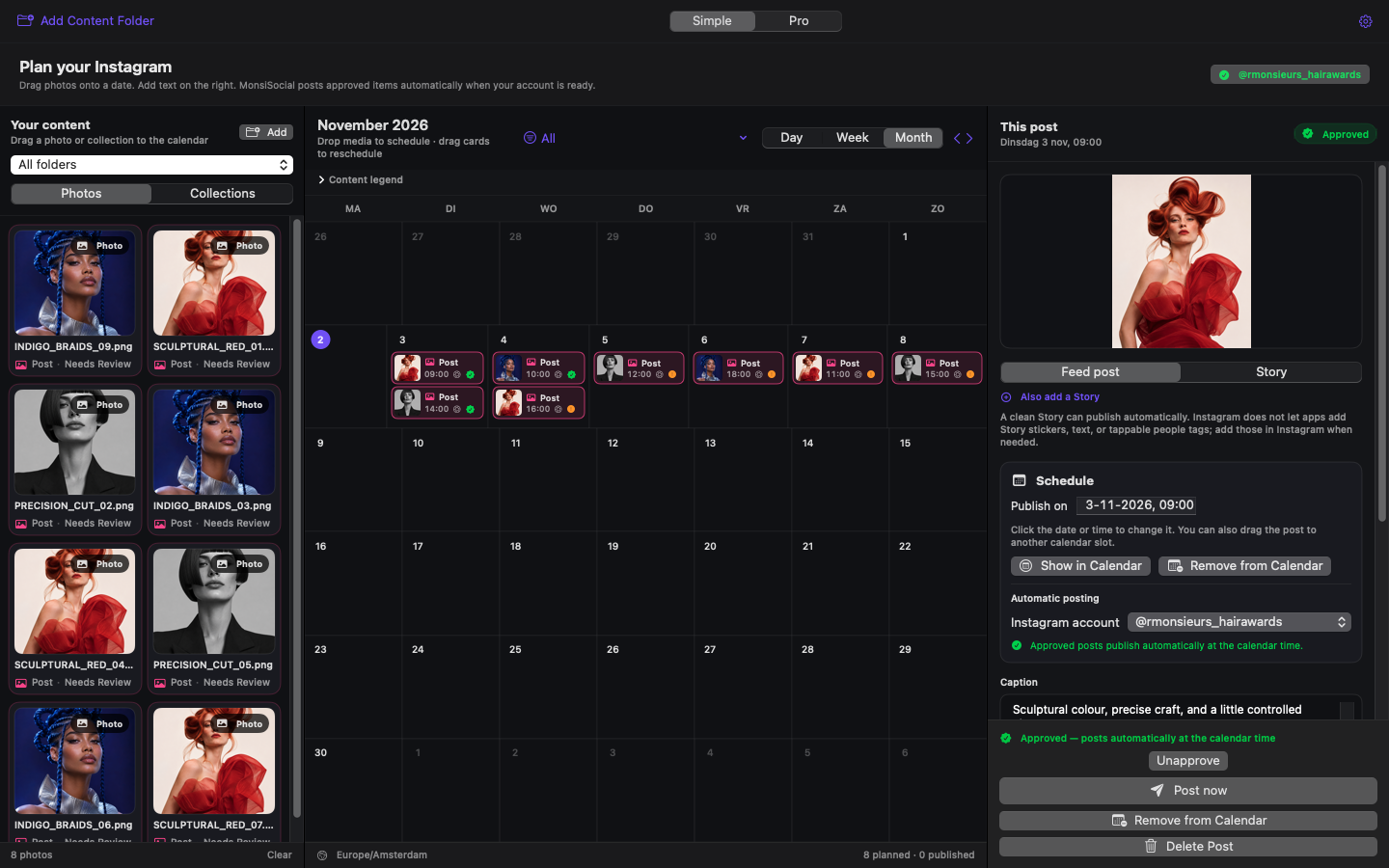
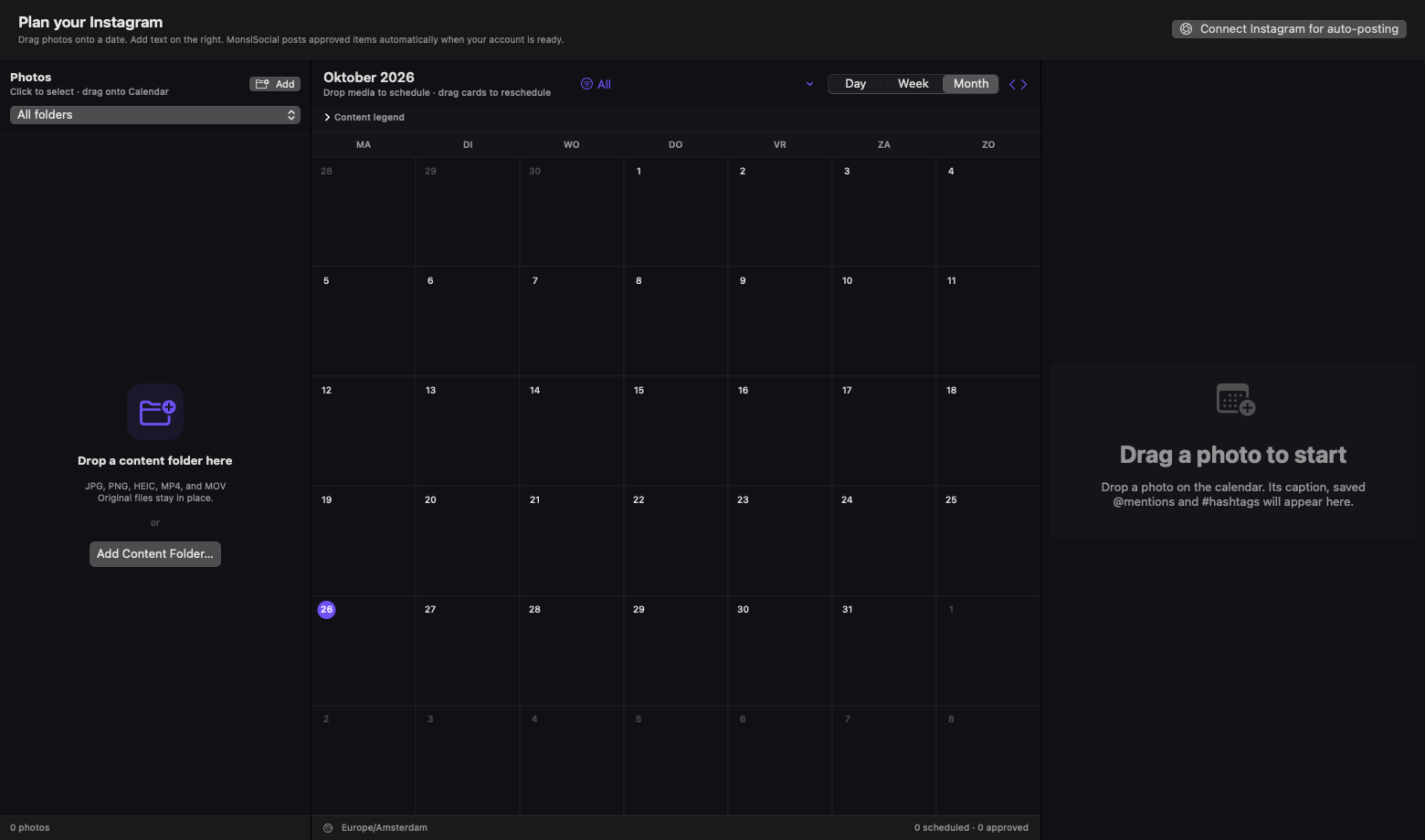
Drop your photos onto a visual calendar, prepare the caption, mentions and hashtags, then approve. MonsiSocial publishes verified Instagram posts from your own Mac at the planned time.
One-time purchase. No subscription. Requires your own Instagram Professional account, Meta developer app and private media storage.
The simple workflow
No separate spreadsheet. No copying the same handles and hashtags again and again. Your content stays visible on the calendar after publishing, so you can find and reuse it later.
Import a folder or drag photos into your local media library. Collections can become a carousel in the order you choose.
Drag a photo or collection onto the calendar. Move it later by dragging it to another day or time.
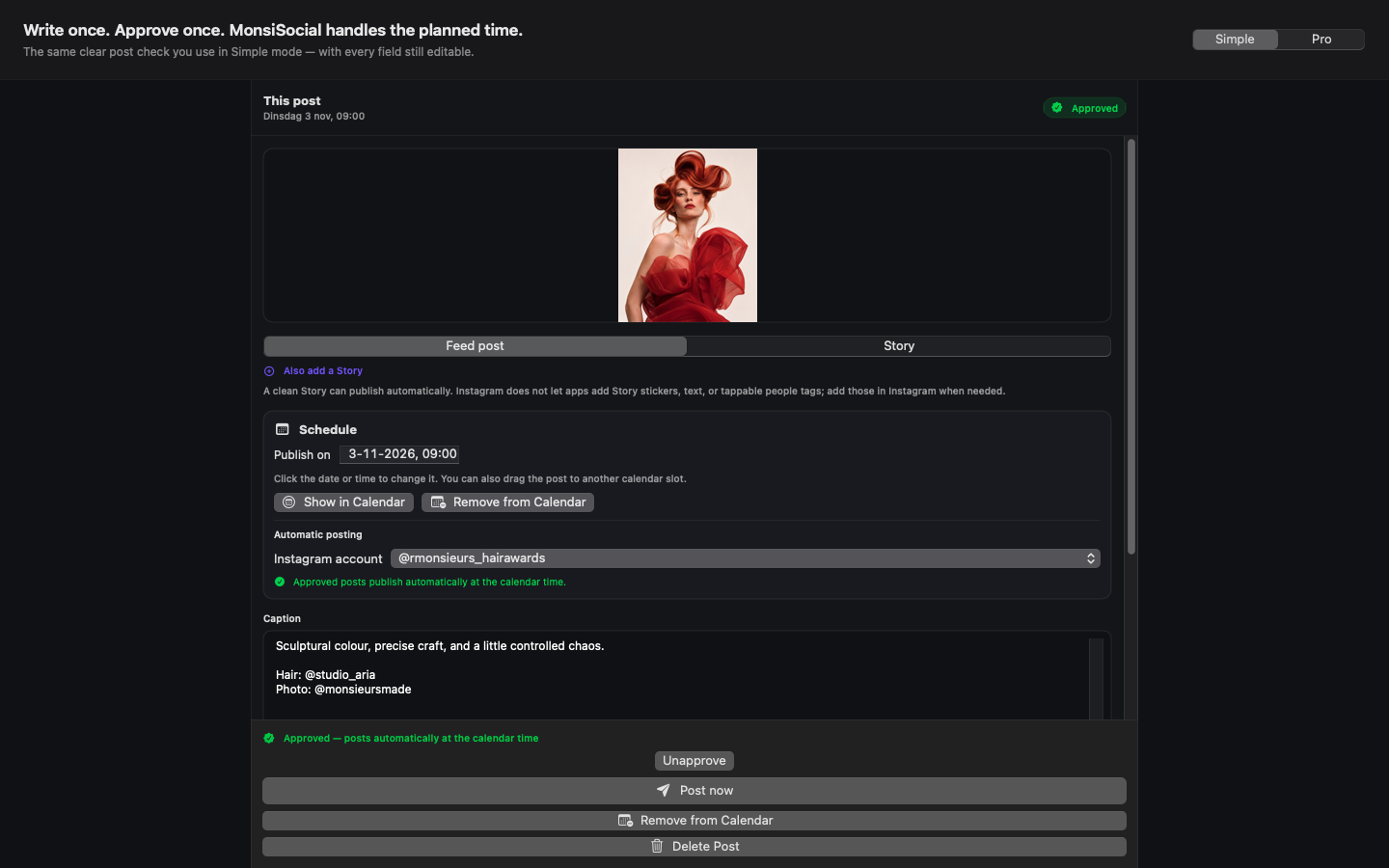
Write the caption, add saved people and choose up to 20 hashtags. Optional AI can help when you explicitly ask.
Choose the Instagram account and approve. A ready Mac publishes automatically at the exact calendar time.
Built around the real job
Move planned content through Month, Week and Day without rebuilding the post.
Frequently used handles remain available and rise with use, without keeping broken partial names forever.
Click suggestions to add them, reuse the previous set and keep the count visible.
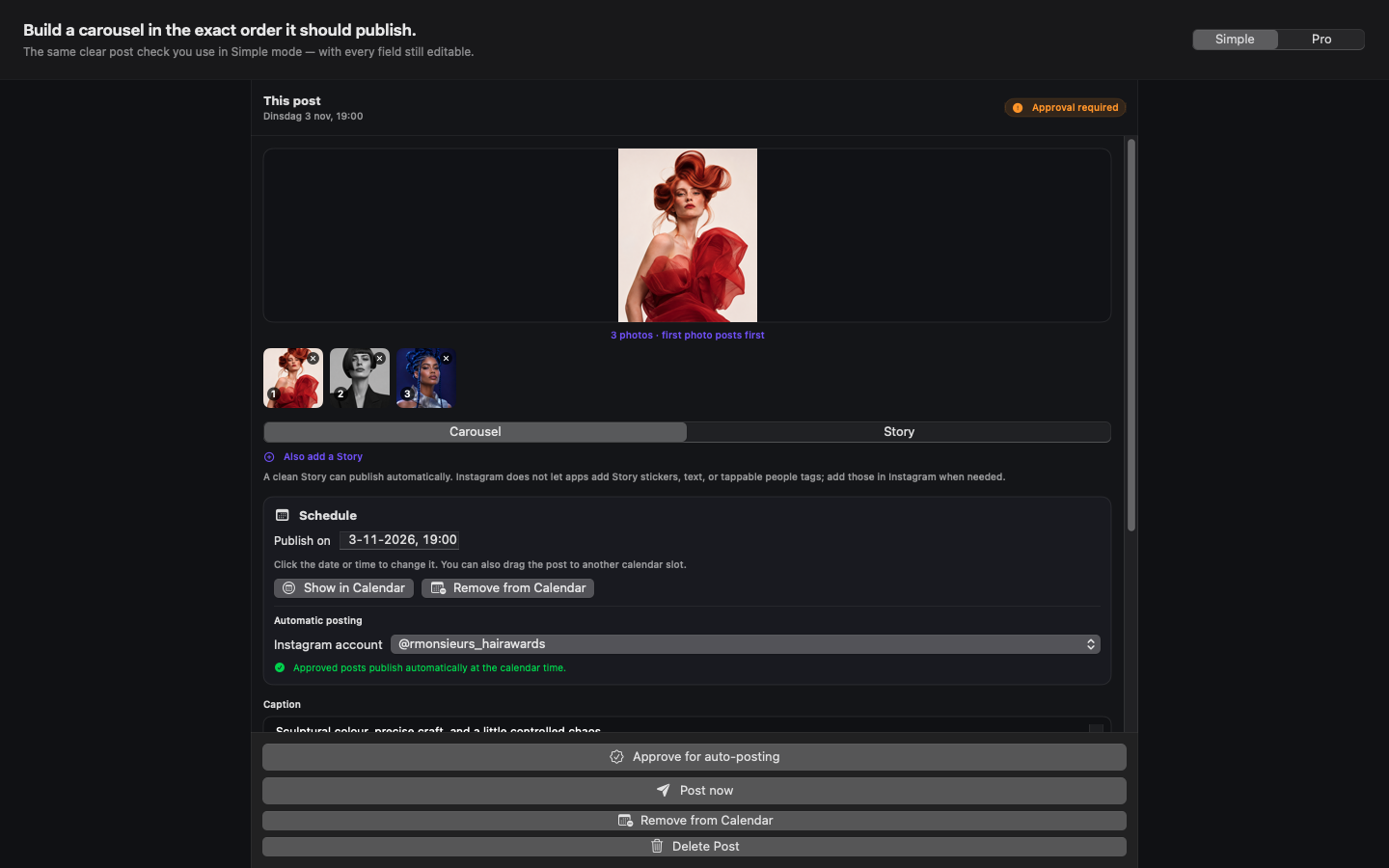
Choose single posts or ordered collections. MonsiSocial preserves the original media and prepares safe derivatives only when required.
Connect more than one Business or Creator account and select the correct destination per post.
The core workflow works without AI. If you connect your own provider, requests happen only after your action and may cost that provider's API fee.
Honest by design
MonsiSocial 1.0 is deliberately Instagram-first. It does not pretend every platform offers the same publishing access.
Mac App Store
No MonsiSocial subscription and no central Monsieurs Made account.
App Store release in progressNo. Instagram's official publishing access requires a Business or Creator account. Changing that account type inside Instagram is free.
No. MonsiSocial is local-first. Your Mac must be awake, the app must be able to run, and the internet connection and private media transfer must be available.
No. Scheduling, saved names, hashtag reuse, approval and Instagram publishing work without AI. Optional AI assistance uses a provider you connect yourself; ChatGPT subscriptions do not include OpenAI API usage.
Instagram's official API must fetch media through a temporary HTTPS address. MonsiSocial uploads a short-lived copy to your own restricted bucket and deletes staged files after the configured retention period.
Not through the official publishing API in every format. MonsiSocial clearly marks native-only steps instead of claiming they were automated.
The daily workflow is simple. Meta's one-time developer setup is more involved. That is why MonsiSocial includes a detailed, screenshot-led guide and visible connection checks.