+
Add once
Enter your own regular meals once, or start from ten simple examples and make them yours.
Save a meal once. Pick what you are eating this week. MonsList combines every ingredient into one clear shopping list. Share a favourite meal or a complete list with family and friends.
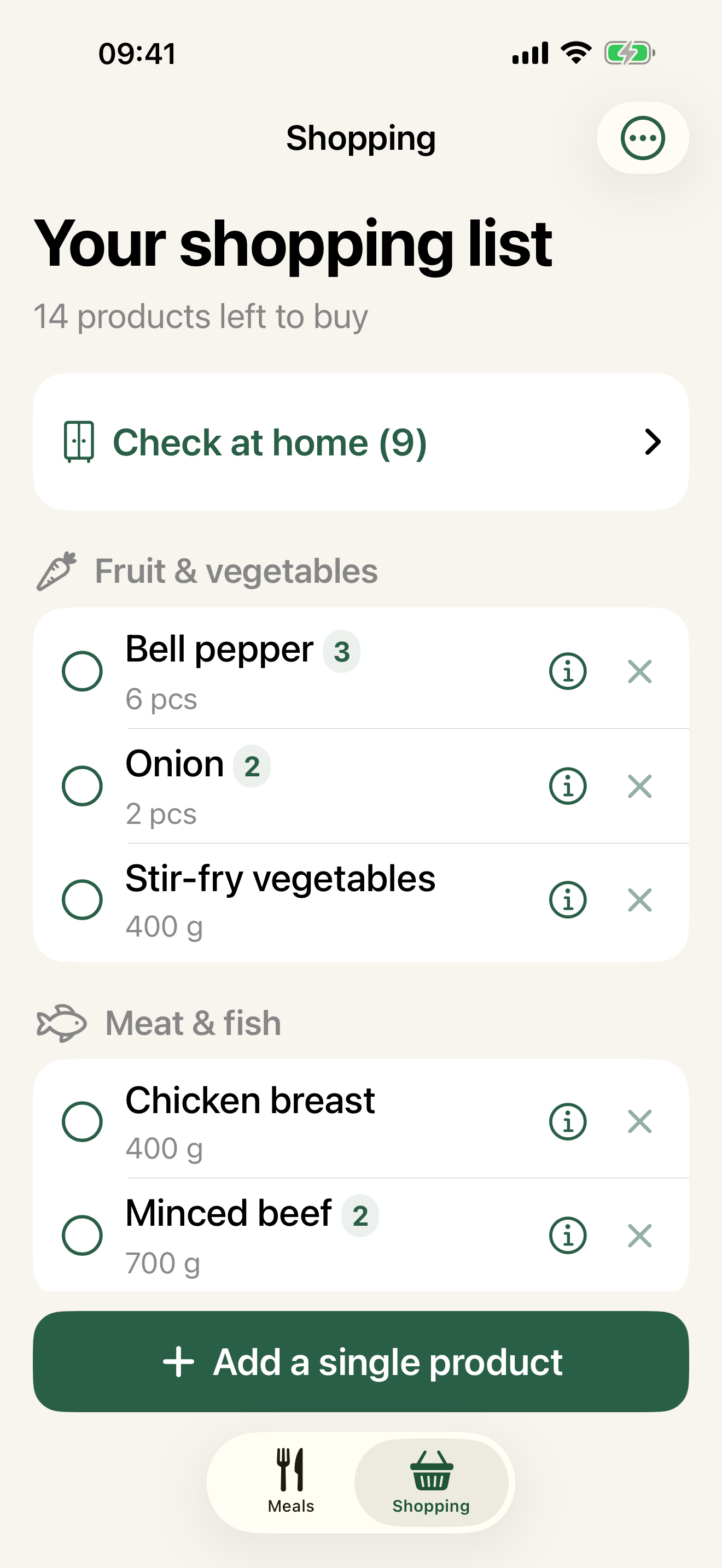
MonsList remembers the meals you add and merges matching ingredients. You still decide what belongs in the cart.
Enter your own regular meals once, or start from ten simple examples and make them yours.
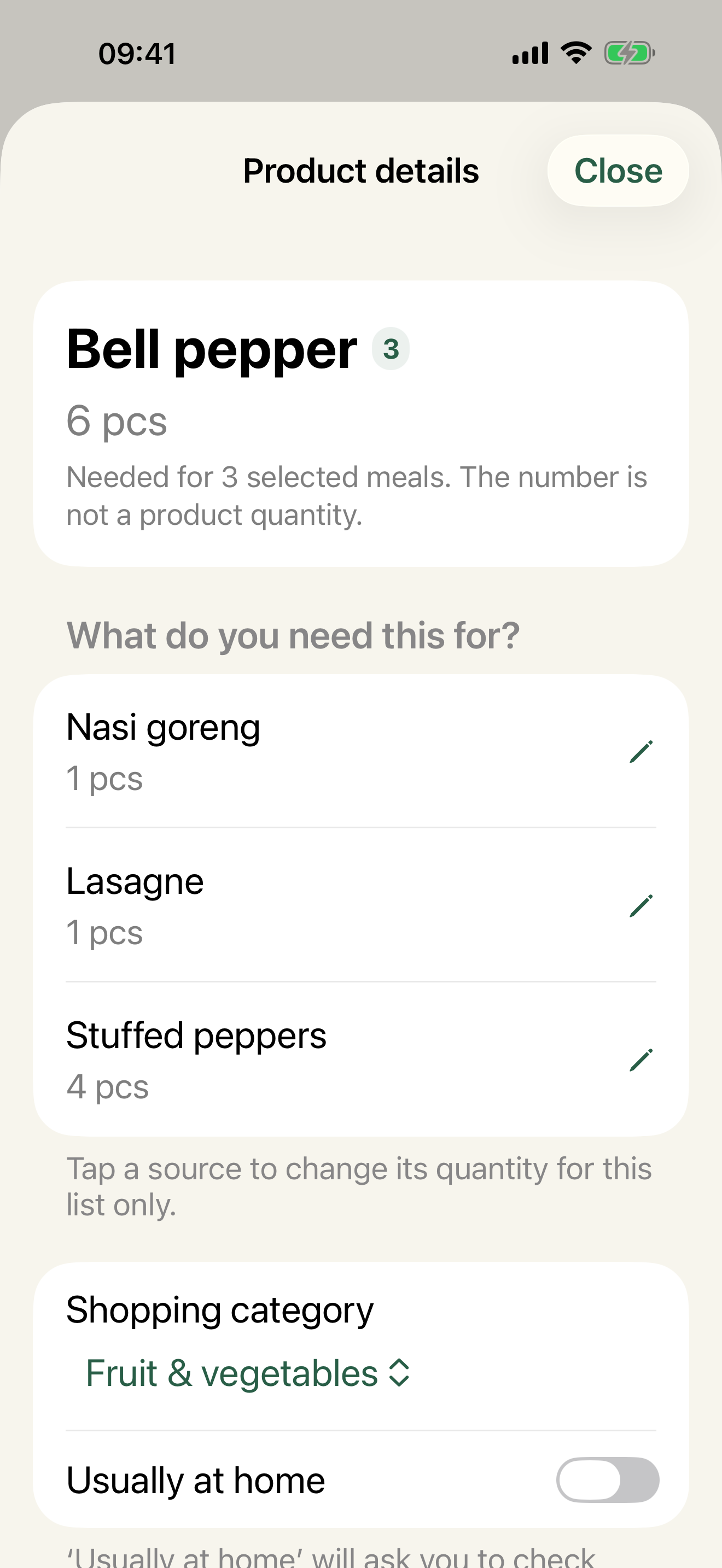
Choose several meals and matching ingredients become one total, with every source still visible.
Send a meal or complete list through AirDrop, Messages, WhatsApp or Mail. The recipient opens it directly in MonsList.
Keep products grouped by category, or switch grouping off and drag every item into the exact order of your supermarket aisles.
A familiar layout when you want the app to organise the list for you.
Turn categories off, drag the list once and follow your own route through the shop.
Large text, clear actions and the details one tap away.
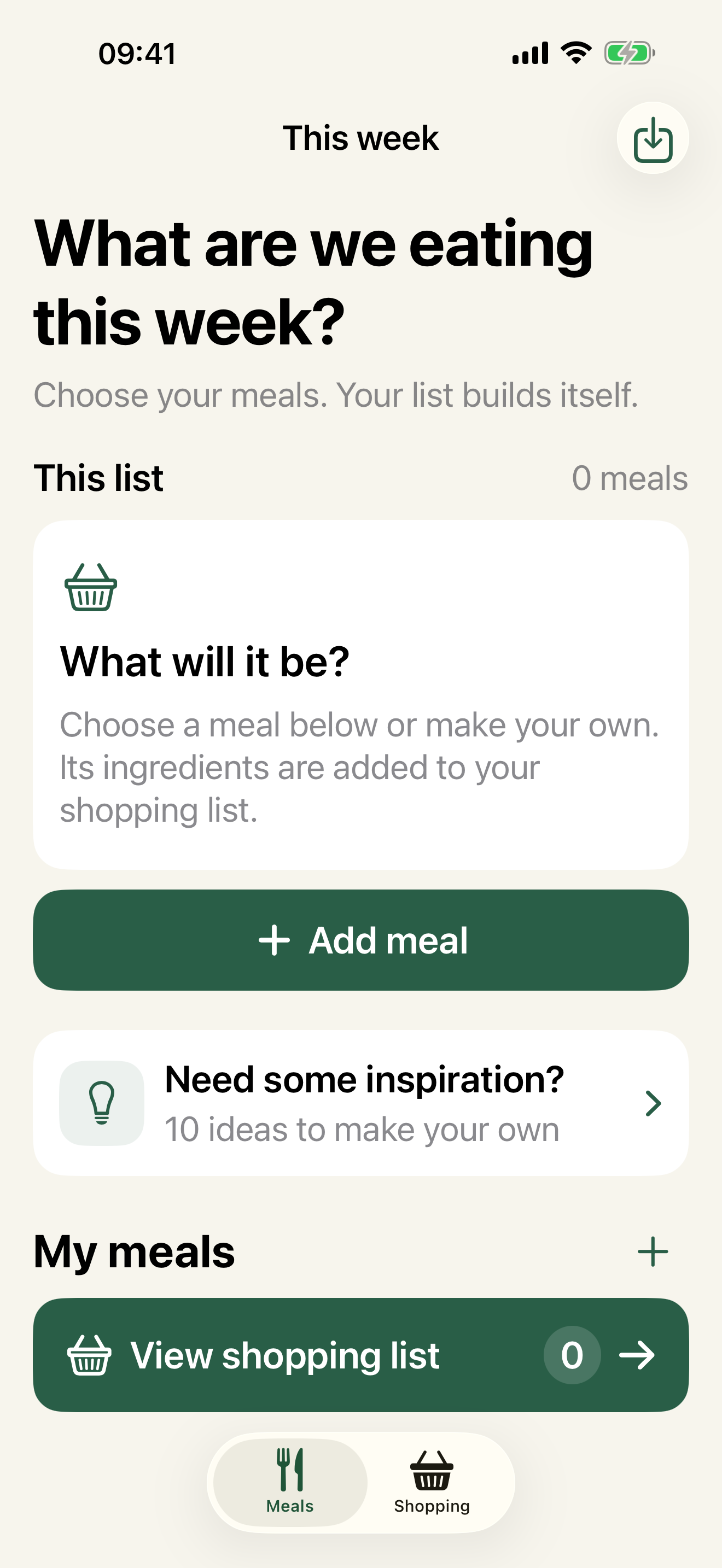
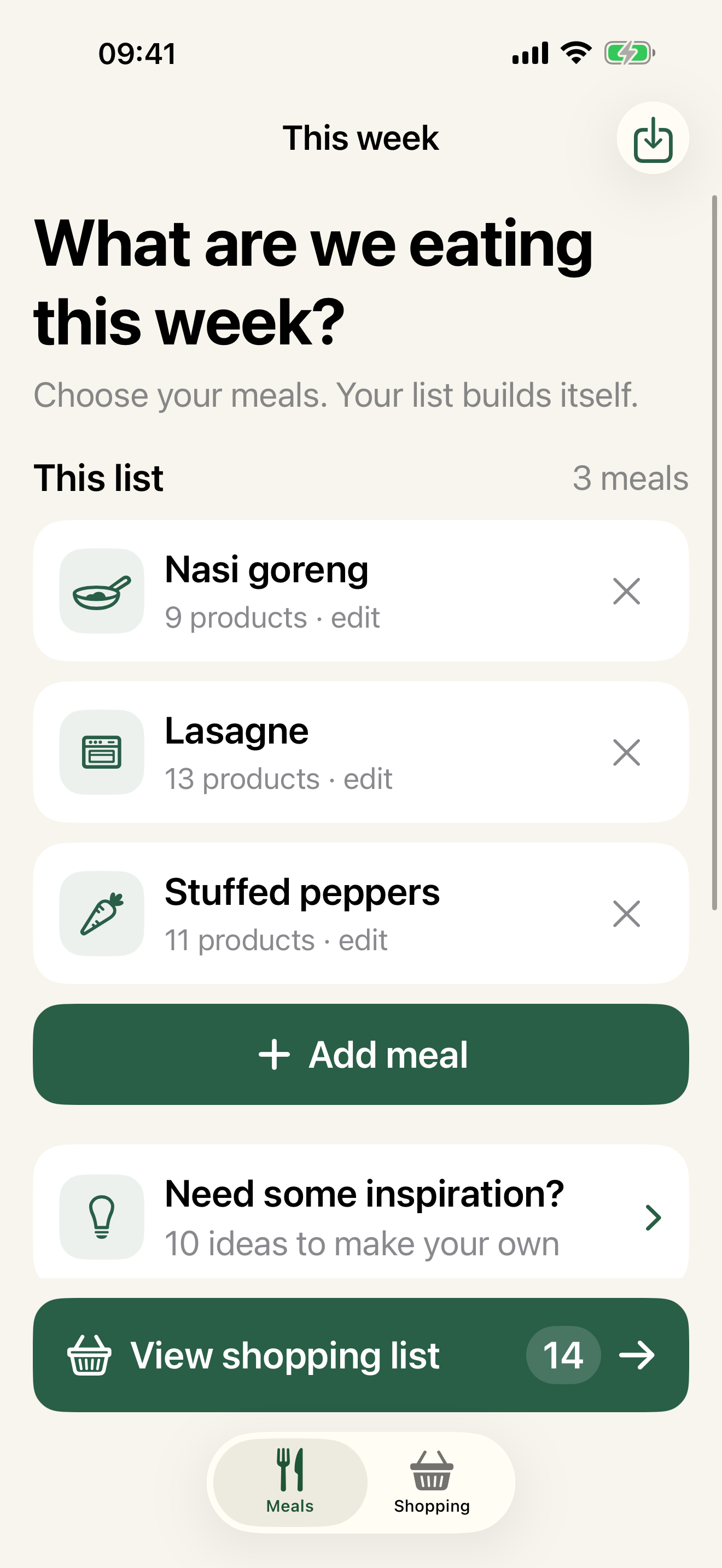
Add their ingredients once. Quantities are optional, so a quick list is enough.
Pick from your own meals or use one of the ten included examples as a starting point.
Check at home, arrange your store order and tick products off as you shop.
MonsList currently includes ten practical, editable meal examples with ingredients. Optional recipe packs are coming later through in-app purchases, with many familiar meals, complete shopping ingredients and suggested preparation.
Yes. Add a meal once with the ingredients you usually buy, then choose it again whenever it returns to your weekly menu. Quantities are optional and you can adjust a meal for one shopping list without changing the saved version.
Products with the same name and compatible units are merged into one total. The product details still show which meals contributed each amount. Ingredients with different units remain clear instead of being converted or guessed.
No. Keep the familiar category view, or turn categories off and drag every product into the order in which you walk through your own supermarket. Your chosen order is kept for later lists.
Yes. Products you may already own can be placed in a separate check-at-home step. Mark each one as needed or already available before shopping. MonsList does not try to maintain a complete pantry inventory.
Yes. Add a single product directly to the current shopping list without first creating or editing a meal.
Yes. Share the complete list as a MonsList file through AirDrop, Messages, WhatsApp, Mail or another app. The recipient opens it in MonsList and chooses whether to add the meals and products to the current list. Plain-text sharing remains available too.
Yes. Use the menu beside a saved meal and choose “Share meal as a MonsList file”. Its ingredients and preparation notes travel with it. The recipient can save it to My Meals or add it straight to the current shopping list.
MonsList shows what the file contains before anything is added. Existing content is not deleted or overwritten. Exact duplicates are reused, and a different meal with the same name is kept as a separate imported copy.
Meals, preferences and shopping lists stay locally on your iPhone. MonsList has no account, advertising, analytics or tracking and works offline. Monsieurs Made cannot read or recover this local information.
MonsList does not use an account or automatic cloud sync. You can move meals and complete shopping lists between iPhones with a MonsList file. An Apple device backup may contain app data depending on your iPhone backup settings.
MonsList is designed for iPhone and requires iOS 17 or later. This version is not distributed as a Mac or Apple Vision app.
No. MonsList is a one-time App Store purchase of €2.99 in the Netherlands. Future recipe packs will be optional, separate in-app purchases. Apple may show equivalent local prices and handles payment, purchase restoration and refund requests.
No. You remain responsible for checking ingredients, quantities, allergies and dietary requirements. The included meals are editable examples, not medical or nutritional advice.